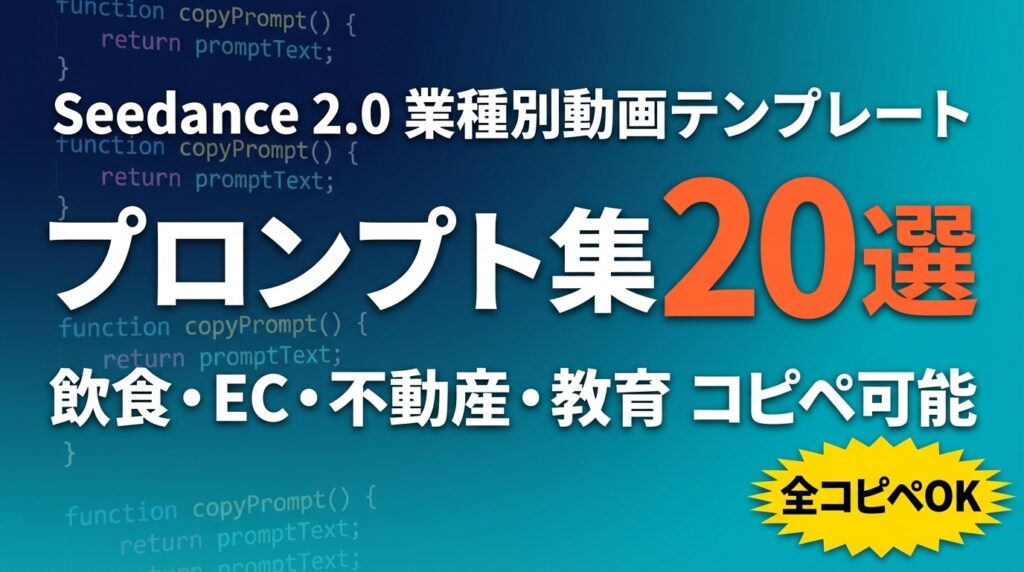
結論: Seedance 2.0で高品質な動画を作る最大のコツは「英語で具体的な場面を指示するプロンプト」です。
この記事の要点:
- 要点1: 飲食・EC・不動産・教育の4業種×5本=20プロンプトを全てコピペ可能な形式で公開
- 要点2: 良いプロンプト・悪いプロンプトのBefore/After対比で、すぐに品質改善できる
- 要点3: カメラアングル・照明・テキスト表示・SNS形式の4要素を指定するだけで品質が劇的に向上
対象読者: Seedance 2.0でなかなか思い通りの動画が生成できないと悩んでいる企業担当者・マーケター
読了後にできること: 今日中に自社業種のプロンプトをコピーして、最初の高品質動画を生成できる
「プロンプトに何を書けばいいかわからない…」
企業向けAI研修で最も多いSeedance 2.0の悩みがこれです。テキストを入力すれば動画が生成されることはわかった。でもいざ使ってみると「なんか安っぽい」「思ったイメージと全然違う」という声が続出します。
実は、Seedanceで品質が変わる最大の要因はプロンプトの書き方です。「カフェのコーヒー動画を作って」と書いた時と、「温かいラテアートのクローズアップ、ゆっくりしたスチーム、アンバー系の照明、9:16縦型、15秒」と書いた時では、出力の差は雲泥です。
この記事では、100社以上のAI研修・コンサル経験から厳選した「そのままコピペできる業種別プロンプト20選」を全公開します。飲食・EC・不動産・教育の4業種それぞれ5本。Before/After対比つきで、今日からすぐに使えます。
Seedance 2.0のCapCut統合や料金については、Seedance 2.0×CapCut統合 企業向け動画マーケティング活用ガイドもあわせてご覧ください。
プロンプトの品質を決める4つの要素
AIエージェントや生成AIの活用全般については、ChatGPT活用 完全ガイドで体系的に学べます。
Seedance 2.0のプロンプトで品質を決める要素はシンプルです。
| 要素 | 指定例 | 効果 |
|---|---|---|
| カメラアングル | close-up, overhead shot, drone view, dolly zoom | 視覚的な印象を決定づける |
| 照明スタイル | soft natural light, warm amber, studio lighting | 雰囲気・商品の見え方を左右する |
| テキスト表示 | Text overlay: “…” in bold white font | 情報を動画内に埋め込める |
| SNS形式 | 9:16 vertical for Reels/TikTok, 16:9 for YouTube | 最適化エクスポートに直結する |
この4要素を意識して書くだけで、プロンプト品質が大幅に上がります。
プロンプト品質のBefore/After対比
業種別プロンプトに入る前に、良いプロンプト・悪いプロンプトの差を確認しましょう。
Before(典型的な失敗パターン)
おしゃれなカフェのコーヒー動画を作ってください。何が問題か: 「おしゃれ」の定義が曖昧、カメラアングル不明、照明指定なし、SNS形式不明、テキスト不明。結果として、AIが解釈した「平均的なカフェ動画」が出力されます。
After(改善版)
A 15-second cinematic video of a latte art coffee in a cozy café.
Close-up shot of the barista pouring steamed milk to create a leaf pattern.
Warm amber lighting, slight slow motion during the pour.
Background: blurred wooden café interior, soft jazz feeling.
Add text overlay at the end: "毎日のひとときを、特別に" in elegant white Japanese font.
9:16 vertical format for Instagram Stories and TikTok.
不足している情報があれば、最初に質問してから作業を開始してください。
改善点: カメラアングル(クローズアップ)・照明(ウォームアンバー)・動き(スローモーション)・テキスト・SNS形式を全て指定。「コーヒーを注ぐシーン」という具体的アクションも明記。
【業種1】飲食業 プロンプト5選
飲食 #1:新メニュー告知動画
SNSで最も反響が大きいのは「食べ物が美味しそうに見える瞬間」を切り取った動画です。新メニュー告知にはこのプロンプトが鉄板です。
A 12-second video showcasing a new dish: [料理名].
Start: wide shot of the beautifully plated dish.
Then: extreme close-up showing the texture of [食材1] and [食材2].
Add steam rising effect with soft rim lighting.
Color grade: rich and warm tones, slightly desaturated for elegance.
Text at 10 seconds: "NEW [料理名] [価格]円" in bold white, Japanese font.
9:16 vertical for Instagram Stories, smooth fade in/out.
不足している情報があれば、最初に質問してから作業を開始してください。活用例: 夏季限定メニューの告知、月替わりランチの紹介
飲食 #2:店舗雰囲気紹介動画
A 20-second ambient video of [店名] restaurant/café interior.
Sequence: entrance exterior → warm interior → smiling staff → signature dish.
Handheld camera movement for intimate feel.
Soft background music vibe (no actual music, just visual rhythm).
Golden hour lighting effect.
Text overlays: "[エリア名]の隠れ家カフェ" → "Open [営業時間]" → "[最寄り駅]駅から徒歩[分]分"
16:9 landscape for YouTube, smooth transitions.
仮定した点は必ず"仮定"と明記してください。活用例: Googleマイビジネス動画、食べログ・ぐるなびの動画欄
飲食 #3:季節限定スイーツSNS動画
A 10-second slow-motion dessert video featuring [スイーツ名].
Hero shot: [スイーツ]のチョコレートソースをゆっくり垂らすシーン (slow motion, 0.5x speed).
Pastel background with soft natural window light.
Sprinkle of [トッピング] in slow motion.
Add small text badge: "季節限定" in pink/gold font at top right.
9:16 vertical, suitable for TikTok food trends.
数字と固有名詞は、根拠(出典/計算式)を添えてください。活用例: TikTok/Instagramのバイラル投稿、誕生日ケーキ等の特別商品告知
飲食 #4:ランチタイム集客動画
A 15-second lunchtime promotion video for [店名].
Show: busy lunch hour at a Japanese restaurant, happy customers.
Close-up of the day's special set meal with all components visible.
Text overlay sequence: "[今日のランチ]" → "[価格]円" → "11:30-14:00"
Bright, appetizing color grading (slightly enhanced saturation on food).
End with restaurant name and location.
16:9 for Google Business Profile video.
不足している情報があれば、最初に質問してから作業を開始してください。
飲食 #5:スタッフ採用動画
A 20-second recruitment video for a food service business.
Show: friendly team preparing food, welcoming atmosphere, clean kitchen.
Happy staff interacting with customers.
Text overlays: "[店名]で一緒に働きませんか?" → "アルバイト・正社員募集" → "時給[金額]円〜"
Bright, positive color grading with warm tones.
End card: "応募はこちら [QRコード or URL]"
16:9 for job posting platforms and YouTube.
仮定した点は必ず"仮定"と明記してください。
【業種2】EC・通販 プロンプト5選
EC #1:商品紹介15秒動画
ECサイトで動画を掲載すると商品への理解度が高まり購入率が向上するというデータは多くあります。しかし全SKUに動画を用意するのは従来非現実的でした。Seedanceはこの問題を解決します。
A 15-second product showcase video for [商品名] ([価格]円).
Camera slowly rotates 360 degrees around the product.
Background: pure white seamless studio, soft box lighting on both sides.
Highlight key selling points with text badges floating near each feature:
  - "[特徴1]" at 5 seconds
  - "[特徴2]" at 9 seconds
  - "[特徴3]" at 13 seconds
End frame: product name + price + "今すぐ購入" CTA text.
16:9 for product page, also provide 1:1 crop for Instagram feed.
不足している情報があれば、最初に質問してから作業を開始してください。
EC #2:使用シーン紹介動画
A 20-second lifestyle video showing [商品名] being used in daily life.
Scene 1 (7s): User picks up [商品] in a modern Japanese apartment.
Scene 2 (7s): Close-up of product features being demonstrated ([使い方]).
Scene 3 (6s): Satisfied user, product prominently displayed.
Natural daylight through window, modern home aesthetic.
Minimal text: "[商品名]" at start, "[こんな悩みを解決]" at scene 2.
16:9 landscape for YouTube and product pages.
数字と固有名詞は、根拠(出典/計算式)を添えてください。
EC #3:期間限定セール告知動画
A 12-second urgent sale announcement video.
Background: bold red and white gradient, dynamic geometric shapes.
Large text animation: "[商品名]" enters from left with momentum.
Center: "[割引率]% OFF" in enormous yellow font, pulsing effect.
Countdown clock visual for deadline urgency.
Bottom ticker: "〜[終了日]まで | 送料無料 | 在庫残り[数]個"
End: "今すぐ購入" button animation.
9:16 for Instagram Stories/TikTok, and 16:9 for web banner.
仮定した点は必ず"仮定"と明記してください。
EC #4:お客様レビュー動画(アニメーション風)
A 15-second animated customer review video.
Design: clean white background with subtle brand color accents.
Show 3 review cards sliding in from the right, each with:
  - Star rating (★★★★★)
  - Quote: "[レビューコメント]" in Japanese
  - Reviewer: "[購入者名]様"
Background: soft gradient, brand logo watermark at corner.
Professional, trustworthy aesthetic for Japanese audience.
16:9 for website embedding.
不足している情報があれば、最初に質問してから作業を開始してください。
EC #5:開梱(アンボクシング)動画
A 20-second unboxing video for [商品名].
First-person perspective (POV) of opening a premium-packaged product.
Show: branded box exterior → tissue paper → product reveal → accessories laid out flat.
Soft natural light from above, clean wooden table surface.
Background music feel: satisfying and calm (ASMR style, no actual audio needed).
Text at reveal moment: "[商品名]" and key features.
9:16 vertical for TikTok/Reels unboxing trend format.
数字と固有名詞は、根拠(出典/計算式)を添えてください。
【業種3】不動産 プロンプト5選
不動産 #1:物件外観・周辺環境紹介
不動産業界では物件動画の掲載で問い合わせ数が増加するとの声が多く、特に遠方からの購入・賃貸検討者に効果的です。
A 25-second property exterior and neighborhood video for [物件名].
Sequence:
  1. Aerial drone view of the building and surrounding area (8s)
  2. Street-level approach to the building entrance (8s)
  3. Nearby convenience, station, park (3s each)
Professional real estate photography style, golden hour lighting.
Text overlays:
  - "最寄り駅:[駅名] 徒歩[分]分"
  - "[エリア名]の新築[物件種別]"
  - "[賃料/価格]万円〜"
16:9 for Suumo/AtHome listing and YouTube.
不足している情報があれば、最初に質問してから作業を開始してください。
不動産 #2:間取り・内覧ウォークスルー動画
A 40-second virtual walkthrough of a [間取り] apartment/house.
Smooth dolly camera movement through:
  1. Front door entrance → hallway
  2. Living room with natural light (emphasize window size)
  3. Kitchen (show counter space and storage)
  4. Master bedroom with closet open
  5. Bathroom with clean modern fixtures
All rooms in neutral, staged style (no personal items).
Text per room: room name + size in m².
End frame: floor plan layout graphic + property name + price.
16:9 for property listing sites.
仮定した点は必ず"仮定"と明記してください。
不動産 #3:投資物件ROIアピール動画
A 20-second investment property appeal video.
Style: professional financial presentation meets lifestyle.
Show: building exterior → occupied rooms → rental income calculation infographic.
Animated numbers: "月額家賃収入 [金額]万円" → "表面利回り [数字]%"
Clean corporate color scheme (navy and white).
Subtitle: "安定収益物件のご紹介 | [エリア名]"
End: company name + QR code + "無料相談受付中"
16:9 for investor seminar and LinkedIn.
数字と固有名詞は、根拠(出典/計算式)を添えてください。
不動産 #4:新築マンション完成告知動画
A 30-second new condominium completion announcement.
Opening: dramatic reveal of building facade at dusk with city lights.
Interior scenes: lobby, gym/lounge, model room kitchen, master bedroom with city view.
Luxurious feel: slow camera movements, dramatic music atmosphere.
Text sequence: "[物件名] 完成" → "[入居開始時期]入居開始" → "[駅名]駅[分]分" → "[価格帯]万円台〜"
End: developer logo + "モデルルーム見学受付中"
16:9 for developer website and YouTube channel.
不足している情報があれば、最初に質問してから作業を開始してください。
不動産 #5:リノベーション Before/After動画
A 20-second before/after renovation video.
Split screen format OR sequential reveal:
LEFT/BEFORE: old, worn interior (dull colors, dated fixtures)
RIGHT/AFTER: renovated modern space (bright, clean, contemporary Japanese style)
Transition: dramatic wipe effect from Before to After at 10 seconds.
Text: "BEFORE→AFTER リノベーション事例" + "工期[期間] / 費用概算[金額]万円〜"
Show: kitchen, bathroom, flooring, lighting changes.
16:9 for company website case studies.
仮定した点は必ず"仮定"と明記してください。
【業種4】教育・研修 プロンプト5選
教育 #1:オンライン講座告知動画
A 20-second online course announcement video for "[講座名]".
Opening: engaging question text appears: "[ターゲットが抱える悩み]?"
Solution reveal: clean animated icons showing course benefits:
  - Icon 1: "[学べること1]"
  - Icon 2: "[学べること2]"
  - Icon 3: "[学べること3]"
Style: modern flat design animation, [ブランドカラー] accent color.
Text: "[講座名]" large at center, then "[受講料]円" + "今なら[割引]% OFF"
End: "詳細はこちら" + URL/QR code.
16:9 for landing page and YouTube pre-roll ad.
不足している情報があれば、最初に質問してから作業を開始してください。
教育 #2:研修・セミナー事例紹介動画
企業研修の成果を動画で見せることで、次の受講者候補への信頼が大幅に上がります。
A 25-second corporate training testimonial video.
Scene 1: Group of business people in a training session, engaged and taking notes.
Scene 2: Whiteboard/screen showing key learning points.
Scene 3: Participants practicing/discussing in small groups.
Professional, energetic atmosphere without being overly staged.
Text overlays: "[研修名]" → "受講者数:[人数]名" → "満足度:[数字]%" → "[会社名]様 導入事例"
Corporate color scheme.
16:9 for company website case studies.
仮定した点は必ず"仮定"と明記してください。
教育 #3:スキルアップ訴求動画
A 15-second skill development motivation video targeting Japanese professionals.
Visual journey: person at desk (stressed, overwhelmed) → learning (engaged, hopeful) → success (confident, promoted).
3-scene rapid transformation, each 5 seconds.
Uplifting visual progression: dark colors → bright, warm colors.
Text: "今のスキルに限界を感じていませんか?" → "[スキル名]を90日で習得" → "[サービス名]"
9:16 vertical for LinkedIn and Instagram Stories targeting professionals.
数字と固有名詞は、根拠(出典/計算式)を添えてください。
教育 #4:子ども向け学習コンテンツ告知動画
A 20-second children's learning content promotional video for "[学習サービス名]".
Style: bright, colorful, playful animation aesthetic.
Show: happy child learning at tablet/desk, with animated characters.
Color palette: vivid primary colors, rounded shapes.
Text: "[年齢対象]向け[教科/スキル]の楽しい学習法" → "まずは無料体験"
Parent-reassurance element: brief shot of parent and child together, smiling.
16:9 for parent-facing platforms and YouTube Kids channel.
不足している情報があれば、最初に質問してから作業を開始してください。
教育 #5:企業向けeラーニング導入告知動画
A 20-second B2B e-learning solution video for HR/training managers.
Problem statement visual: employees spending time in long training sessions.
Solution: clean dashboard interface showing digital learning platform.
Key metrics animation: "学習時間[%]削減" → "定着率[%]向上" → "導入企業[数]社"
Style: clean, professional SaaS marketing look.
Text: "[サービス名] | 社員研修のDX化" → "無料トライアル実施中"
End: company logo + "まずは資料請求"
16:9 for business website and LinkedIn ads.
数字と固有名詞は、根拠(出典/計算式)を添えてください。
【要注意】Seedance 2.0プロンプトの失敗パターン
失敗1:日本語だけで書く
❌ 「美味しそうなラーメンの動画を15秒で作ってください。明るい感じで。」
⭕ 「A 15-second close-up video of steaming tonkotsu ramen with a soft-boiled egg. Warm amber lighting, steam rising slowly, slight slow motion. Text: “濃厚とんこつラーメン 980円”. 9:16 vertical.」
なぜ重要か: Seedance 2.0は英語のスタイル指定(照明・カメラ・動き)の精度が日本語より高い。日本語テキスト要素だけ「Text: “日本語”」で指定するハイブリッド方式が最も効果的。
失敗2:形式・サイズを指定しない
❌ 「商品の動画を作ってください」
⭕ プロンプト末尾に必ず「9:16 vertical for TikTok/Reels」または「16:9 landscape for YouTube/website」を明記
なぜ重要か: SNS形式を指定しないと、後でトリミングが必要になり文字や重要な被写体が切れる。最初から目的のSNSに合わせた比率を指定するのがプロの使い方。
失敗3:テキストの言語指定を忘れる
❌ Text overlay: “新メニュー登場”(言語指定なし)
⭕ Text overlay: “新メニュー登場” in bold Japanese font, white color
なぜ重要か: 言語を指定しないと英語フォントで表示されることがある。「in Japanese font」を明記することで日本語テキストの精度が上がる。
失敗4:プロンプトが短すぎる
❌ 「料理の動画を作ってください。15秒。」(20文字以下)
⭕ 3〜7行の詳細な指示(カメラ・照明・動き・テキスト・形式を全て含む)
なぜ重要か: Seedanceは指示が詳細なほど意図に近い出力をする。短いプロンプトはAIの「想像」に任せる比率が高くなり、期待外れの結果になりやすい。
プロンプトの品質を上げる応用テクニック
テクニック1:参照画像を活用する
Seedance 2.0は最大9枚の参照画像をインプットできます。テキストだけでなく、参考にしたい動画スタイルや自社商品の写真を入力することで、プロンプトだけでは伝えにくいビジュアルイメージを伝えられます。
Reference images: [自社商品の写真]
Generate a 15-second product video maintaining the exact product appearance from the reference image.
Background: premium white seamless studio.
Camera: slow 360-degree rotation.
Lighting: matching the reference image's color temperature.
Add text: "[商品名]" and "[価格]円"
16:9 landscape.
不足している情報があれば、最初に質問してから作業を開始してください。
テクニック2:スタイル参照動画を使う
既存の「こういう雰囲気にしたい」参考動画を最大3本インプットできます。競合他社や海外ブランドの動画スタイルを参考に入力することで、同系統のビジュアルを生成できます(著作権に注意。参考スタイルの「雰囲気」は問題ないが、コピーはNG)。
テクニック3:[プレースホルダー]を使い回す
上記のプロンプト20選には[ ]のプレースホルダーが含まれています。[ ]部分を自社の情報に書き換えるだけで、毎回ゼロから書く必要がありません。CapCutのメモ機能やNotionにプロンプトを保存しておくと、量産時に効率化できます。
まとめ:今日から始める3つのアクション
- 今日やること: 自社業種のプロンプト1本をコピーして[ ]を埋め、Seedance 2.0で最初の動画を生成してみる
- 今週中: 生成した動画をSNSに投稿し、エンゲージメント(再生数・保存数・コメント)を記録する
- 今月中: 反響が良かったプロンプトを社内テンプレートとして保存し、担当者が誰でも使えるドキュメントを作る
プロンプトの品質は「慣れ」で上がります。最初の1本を生成することが最大の壁。このプロンプト集をスタート地点にして、自社専用のプロンプトライブラリを育てていってください。
あわせて読みたい:
- Seedance 2.0×CapCut統合 企業向け動画マーケティング活用ガイド — CapCut統合の詳細と業種別コスト計算
- Seedance完全ガイド|料金・著作権・商用利用 — 料金と著作権の最新情報
- AI導入戦略 完全ガイド — 動画AI以外のビジネスAI活用法を体系的に学ぶ
参考・出典
- 20+ Best Seedance 2.0 Prompts for 2026 — SeaArt(参照日: 2026-03-27)
- Why Seedance 2.0 is the Best AI Video Tool for E-commerce Marketing ROI in 2026 — Atlas Cloud Blog(参照日: 2026-03-27)
- Seedance Prompt Guide: Templates, Tips & Examples for Perfect AI Videos — seedancevideo.com(参照日: 2026-03-27)
- Free Seedance 2.0 — Multimodal AI Video Creator Online — CapCut/Dreamina 公式(参照日: 2026-03-27)
著者: 佐藤傑(さとう・すぐる)
株式会社Uravation代表取締役。早稲田大学法学部在学中に生成AIの可能性に魅了され、X(@SuguruKun_ai)フォロワー約10万人。100社以上の企業向けAI研修・導入支援。著書『AIエージェント仕事術』(SBクリエイティブ)。SoftBank IT連載7回執筆(NewsPicks最大1,125ピックス)。
ご質問・ご相談はお問い合わせフォームからお気軽にどうぞ。
あわせて読みたい: Seedance 2.0 プロンプト50選|動画生成で結果が出る実践集 — 用途別コピペ可能プロンプト50個を全公開